

Most of the VPN advice aimed at small teams focuses on remote access VPNs — the kind an individual installs on their laptop to connect securely to the internet. But there is a second, less commonly discussed category, site-to-site VPN, that solves a different problem entirely: connecting two fixed office locations or a office and a data center permanently, rather than connecting individual roaming devices. Understanding which one your team actually needs — and in some cases, why you might need both — avoids buying the wrong solution for your situation.
This guide complements our remote access VPN comparison, focusing specifically on when a site-to-site configuration is the better fit.
Remote access VPN: the one most teams already know
A remote access VPN is what most people picture when they hear “VPN” — a client application installed on an individual device, connecting that specific device to a VPN server, encrypting its traffic for the duration of that session. This is the right solution for individual employees connecting from home, a coffee shop, or while traveling, and it is what our other VPN guides on this site primarily cover.
Site-to-site VPN: connecting fixed locations
A site-to-site VPN creates a persistent, encrypted tunnel between two entire networks — typically two office locations, or an office and a cloud data center — rather than between an individual device and a server. Once configured, every device on either network can communicate with devices on the other network as though they were on the same local network, without each individual device needing its own VPN client or connection.
This is typically implemented at the router or firewall level rather than through a client app on each device, meaning the VPN connection exists independent of which specific computers happen to be turned on at either location. A new employee’s laptop, once connected to the office network, automatically gets the benefit of the site-to-site tunnel without any individual configuration.
When a small business actually needs site-to-site
Multiple physical office locations that need to share internal resources. If your team has a main office and a secondary location, and both need reliable access to the same internal file server, printer network, or internal application, a site-to-site VPN handles this more cleanly than trying to configure individual remote access connections for every device at the secondary location.
A private connection to cloud infrastructure. Some teams use a site-to-site VPN to connect their office network directly to a private cloud environment (an AWS Virtual Private Cloud, for example), allowing office devices to reach cloud-hosted internal tools as though they were on the local network, without exposing those tools to the public internet at all.
Consistent network-level security policies across locations. Site-to-site VPNs allow a single set of firewall and access rules to apply consistently across multiple physical locations, which is harder to achieve and maintain when every device connects individually and independently.
When remote access is the better (or only necessary) fit
Most small teams, especially fully remote or hybrid ones without a shared physical office, do not need site-to-site VPN at all. If your team’s actual need is individual employees connecting securely to the internet and to cloud-based tools from wherever they happen to be working, remote access VPN is the right and sufficient solution, and adding site-to-site complexity would solve a problem you do not have.
Site-to-site VPN specifically requires fixed network infrastructure at each end — a business-grade router or firewall capable of establishing and maintaining the tunnel — which is a meaningfully different (and more involved) setup than installing a VPN app on individual laptops.
Using both together
These two VPN types are not mutually exclusive, and many small businesses with a physical office end up using both: a site-to-site VPN connecting the office network to cloud infrastructure or a secondary location, and a remote access VPN for individual employees connecting in from home or while traveling. Each solves a distinct problem, and using both together is a normal, common architecture rather than unnecessary duplication.
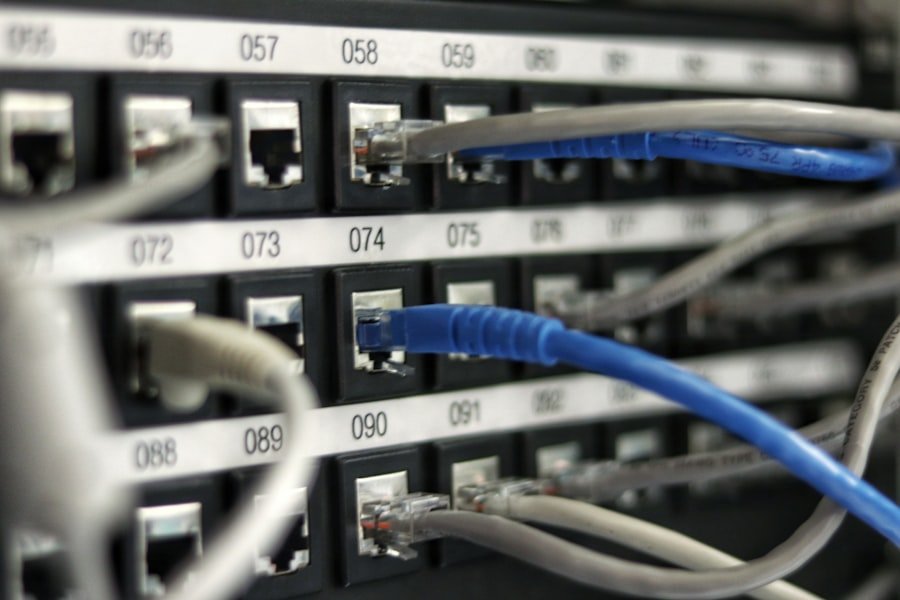
IPsec vs SSL for site-to-site connections
Site-to-site VPNs are most commonly built using the IPsec protocol suite, which operates at the network layer and is well-suited to connecting entire networks together rather than individual application sessions. Most business-grade routers and firewalls have built-in IPsec support, making it the default choice for connecting standard networking hardware from different vendors, since IPsec is a widely implemented standard rather than a single vendor’s proprietary technology.
SSL-based site-to-site configurations exist as an alternative, generally easier to configure through a web-based interface and sometimes more firewall-friendly in restrictive network environments, but less universally supported across different hardware vendors compared to IPsec. For a small team connecting two locations with standard business networking equipment, IPsec remains the more broadly compatible default choice unless a specific reason points toward an SSL-based alternative.
Redundancy and failover for business-critical connections
If the connection between your locations supports something business-critical — a point-of-sale system syncing with central inventory, for example — a single site-to-site tunnel with no backup represents a single point of failure. Business-grade implementations typically support a secondary backup connection, either through a second internet connection at each location or a cellular failover option, that automatically takes over if the primary tunnel drops.
This redundancy adds cost and complexity, and is not necessary for every use case — a site-to-site connection used mainly for occasional file sharing between offices may not justify the expense of a failover setup, while one supporting real-time business operations very likely does. Assess this based on how disruptive an unplanned outage of the connection would actually be to your team’s operations before deciding whether redundancy is worth the added cost.
What setting up site-to-site actually involves
Unlike remote access VPN, which is typically a matter of signing up for a provider and installing an app, site-to-site VPN generally requires business-grade networking hardware at each location capable of establishing the tunnel (most modern business routers and firewalls from established networking vendors support this natively), and some upfront network configuration — defining the IP address ranges at each location, setting up the encryption parameters, and testing the connection thoroughly before relying on it for production traffic.
For a small team without in-house networking expertise, this is one of the more common areas where bringing in outside help for the initial setup makes sense, even if your team handles day-to-day IT tasks internally otherwise. A misconfigured site-to-site tunnel can create unexpected access between networks that were not intended to be that openly connected, which is a more serious mistake than a typical remote access VPN misconfiguration affecting a single device.
Cost considerations
Remote access VPN is typically priced per user, per month, making costs scale directly and predictably with headcount. Site-to-site VPN costs are structured differently — generally tied to the networking hardware required at each location (a one-time or amortized hardware cost) plus, in some cases, a service fee if using a managed provider rather than self-managed hardware. For a team evaluating whether site-to-site makes financial sense, compare the hardware and setup cost against the ongoing cost of managing individual remote access connections for an entire secondary office’s worth of devices, which is the scenario site-to-site is specifically designed to simplify.
Frequently asked questions
Do we need site-to-site VPN if we only have one office and some remote employees?
Generally no — a single office with remote employees connecting individually is the classic remote access VPN scenario, and site-to-site would add complexity without solving a problem your team actually has.
Can individual employees still use remote access VPN if we also have a site-to-site connection between offices?
Yes, these operate independently and commonly coexist, as described above — the site-to-site tunnel connects the fixed locations, while individual remote access connections continue to serve employees connecting in from elsewhere.
Is site-to-site VPN more secure than remote access VPN?
Neither is inherently more secure than the other — they serve different purposes and the relevant security considerations differ. A site-to-site VPN’s main risk is a misconfiguration exposing more of the network than intended; a remote access VPN’s main risks are the ones covered in our other guides, like kill switch reliability and no-logs verification.
What happens if the site-to-site connection drops?
Unlike an individual remote access VPN drop, which affects one device, a site-to-site VPN drop affects connectivity between the two entire networks it connects. Business-grade implementations typically include automatic reconnection and, for more critical setups, a backup connection method, which is worth specifically confirming during initial setup if the connection between locations is business-critical.
Do we need the same networking hardware brand at both locations?
Not necessarily, since IPsec is a widely supported standard rather than a proprietary technology tied to one vendor. That said, configuring a tunnel between two different hardware brands can involve more trial and error matching specific settings than using the same vendor at both ends, where configuration is often more directly compatible out of the box. If you have flexibility in choosing hardware for a new location, matching your existing vendor generally simplifies the initial setup.
How do we know if our current setup already includes a site-to-site VPN we are not using effectively?
Many mid-range and higher business routers and firewalls include site-to-site VPN capability even if it has never been configured or actively used. If your team already has business-grade networking hardware at multiple locations, it is worth checking the existing hardware’s capabilities before assuming new equipment needs to be purchased specifically for this purpose.
Choosing between these two VPN types comes down to a simple question: are you protecting an individual person’s connection wherever they happen to be, or connecting two fixed locations together permanently? Most small teams only need the former, but as a business grows to include a second physical location or a private cloud environment, understanding when site-to-site becomes the right tool avoids either overcomplicating a simple setup or under-provisioning a genuinely more complex networking need.
For more on securing your team’s remote connections, see our VPN provider guide and full tool reviews section.